

Do not guess what takes the space
Business Plus Storage Cleanup shows how much the database and the filestore really take up, where the space goes and what can be reclaimed — then reclaims it, keeping a record of what was deleted and when.
Part of the Business Plus package.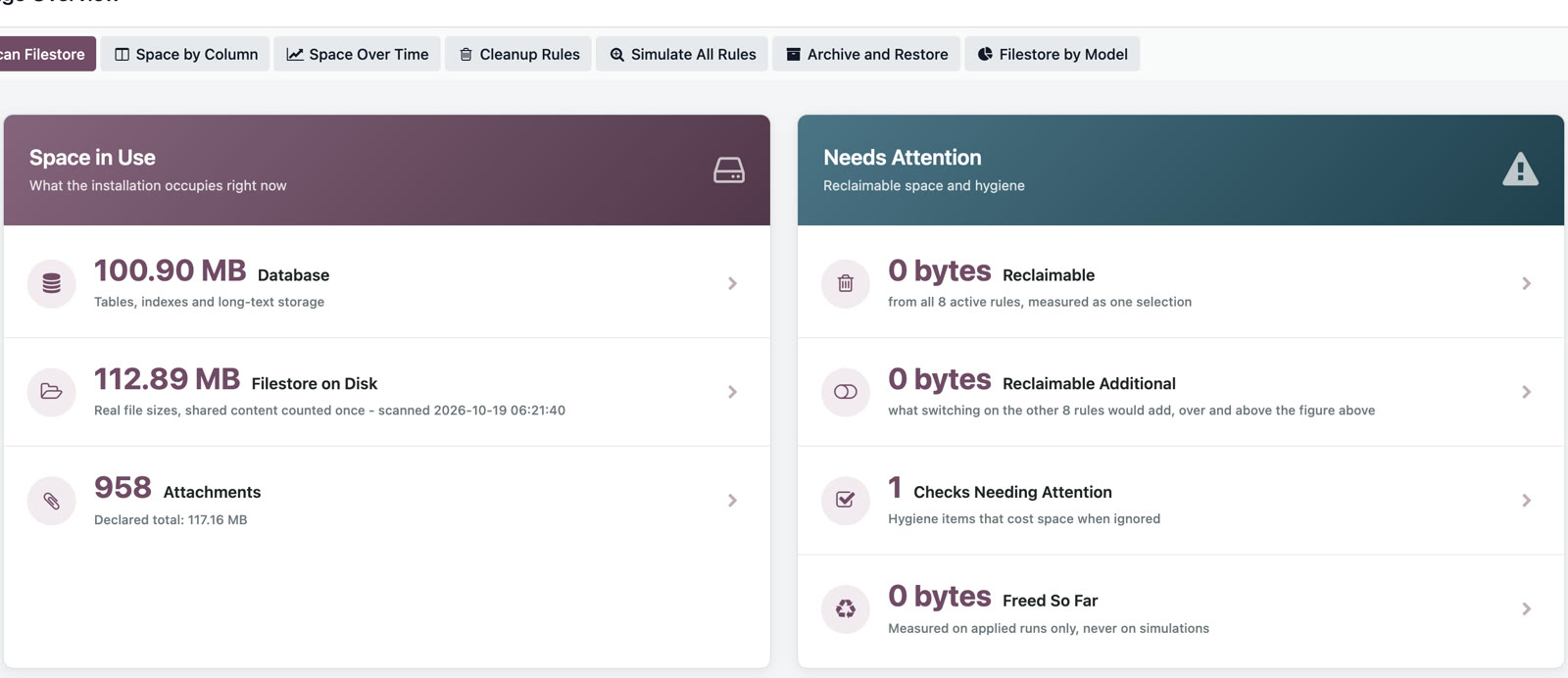
The real size, component by component
How much the database takes and how much the filestore takes, broken down by what actually consumes the space.
Where the space goes
Attachments, versions, logs and technical data piled up over time, ordered by how much they take.
Safe reclaim
What gets deleted is what may be deleted — not what looks big.
A record of every action
What was reclaimed, how much and when — for the audit, and for the administrator’s peace of mind.
- Postpones or removes the need to buy more storage
- Shortens backups and restores
- Replaces cleanup by intuition with cleanup by measurement
- Leaves an auditable trace of every deletion
Do not guess what takes the space. See it, then reclaim it.
Tell us how you work and we will show you the app on your own example, right inside Odoo.
Is it a separate program from Odoo?
No. Business Plus Storage Cleanup is a set of Odoo apps: you work in the same Odoo, with the same menus, users and rights.