

The files sit where storage is cheap
Business Plus Storage Offload moves files from the local disk to external storage — S3 or SFTP — in batches, on a schedule, and brings them back transparently when someone opens them. Uploads stay fast, because nothing leaves the server while they happen.
Part of the Business Plus package.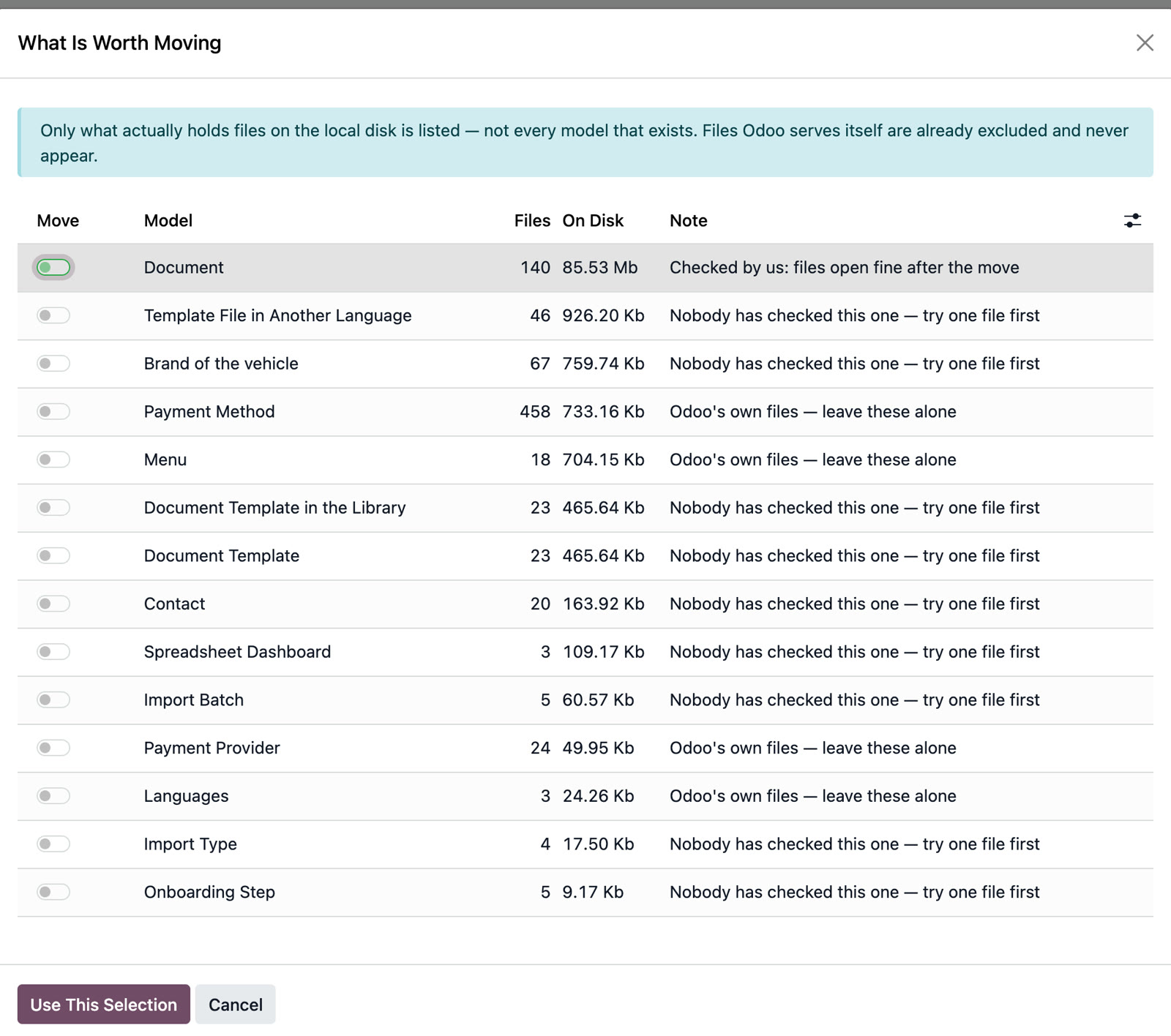
Scheduled, batched moves
A scheduled job takes the files out; nobody waits on the network while uploading a document.
Transparent reads
A moved file opens exactly as before — the user never learns it left the disk.
Decision rules
What moves, from what age and from what size — configured once, not decided case by case.
The “what is worth moving” analysis
How much space sits in each model and how much would be freed, before anything is moved.
Storage connectors
S3 and SFTP/FTP, on the same connector base used for imports.
It never deletes anything
Offloading moves files. Deleting is a separate decision, in a different module, under different rules.
- Postpones spending on storage without taking anything out of the system
- Keeps uploads fast, because the move happens afterwards, not during
- Shortens the backups of the local filestore
- Draws a clear line between two decisions that are often confused: what moves and what gets deleted
The files sit where storage is cheap. People open them exactly as before.
Tell us how you work and we will show you the app on your own example, right inside Odoo.
Is it a separate program from Odoo?
No. Business Plus File Offload is a set of Odoo apps: you work in the same Odoo, with the same menus, users and rights.