

Transport, from order to invoice, in one system
Consolidation, dock and route planning, tenders, drivers on their phones, quality, fleet, GPS and emissions — connected to each other and to your ERP.
Live in Romania and Hungary · carriers and drivers in the same system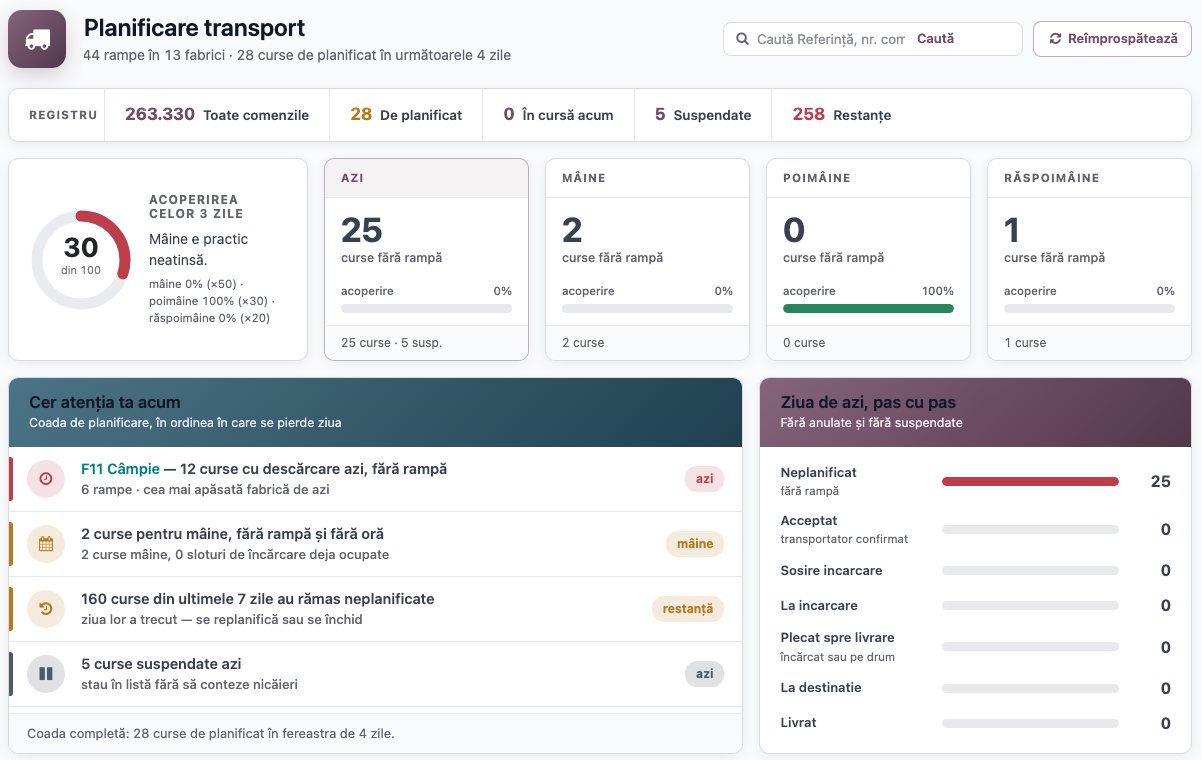
It covers the whole journey of a shipment, not just planning
Every truck has a dock and a time before it leaves the yard
Sampa TMS plans loadings by itself: it picks the dock, the time and the carrier — and writes down why.
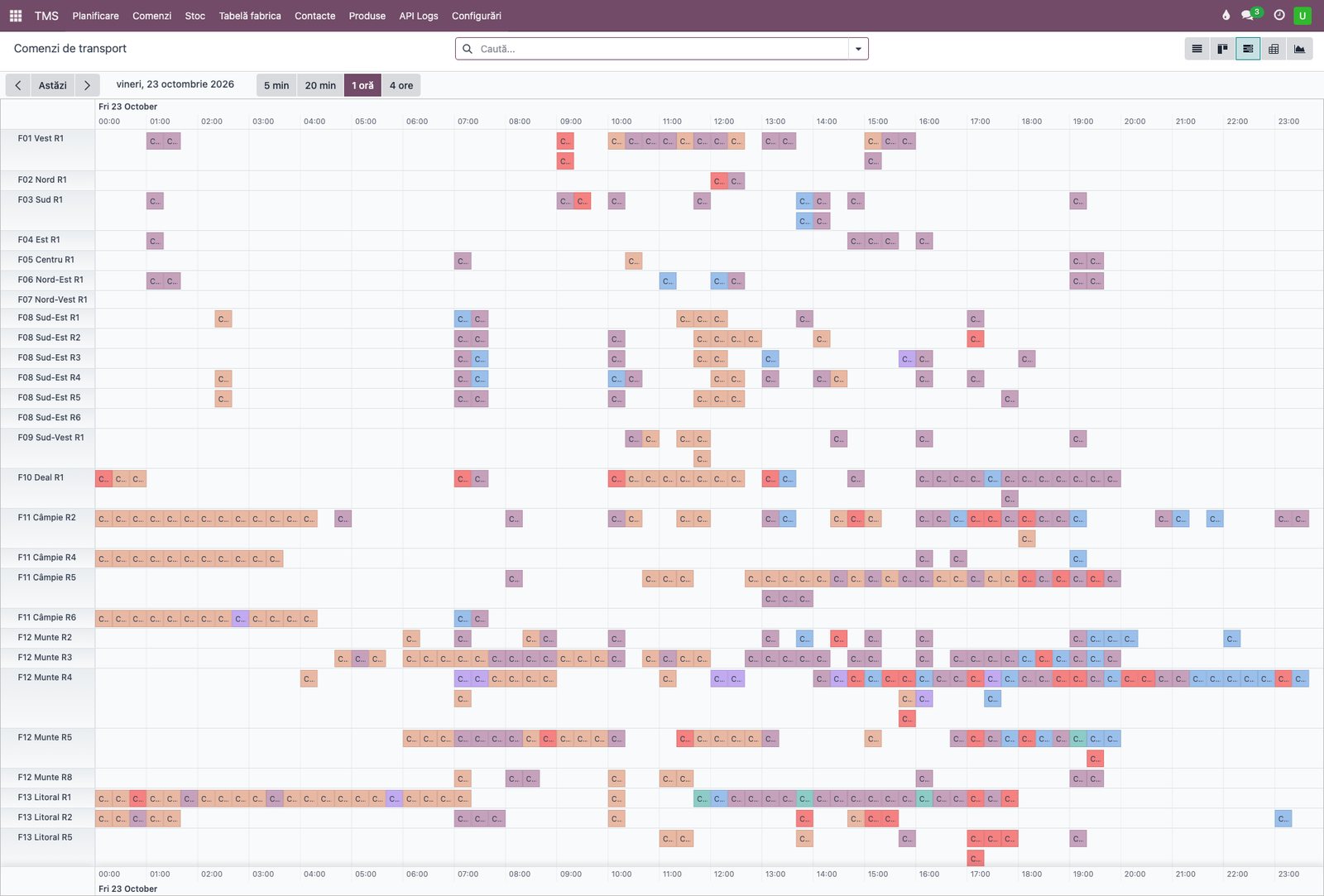
Plant docks with their own hours — working calendar, bulk or bagged, the products and silo of each dock, docks reserved for given customers.
Loading slots — the day split into slots, one truck per dock per slot — no queues at the gate.
Loading time worked back from delivery time — distance, driving time and a safety margin; long trips load the evening before.
Only what is in stock — ERP stock minus what is already reserved; an order without stock stays visible, with the reason.
The right carrier — first the one dedicated to the customer, then by quota per plant and goods type; whoever refused does not get it again.
Exceptions go to a person, with the reason — no date, no stock, no free slot, special rules — moved to manual planning and explained on the order.
Plant screens — the queue at every dock — truck, customer, position — on the gate screens, updated from the system.
What needs attention now, on one page
The planner sees today and the next three days at a glance: what is unplanned, on the road, or stuck.
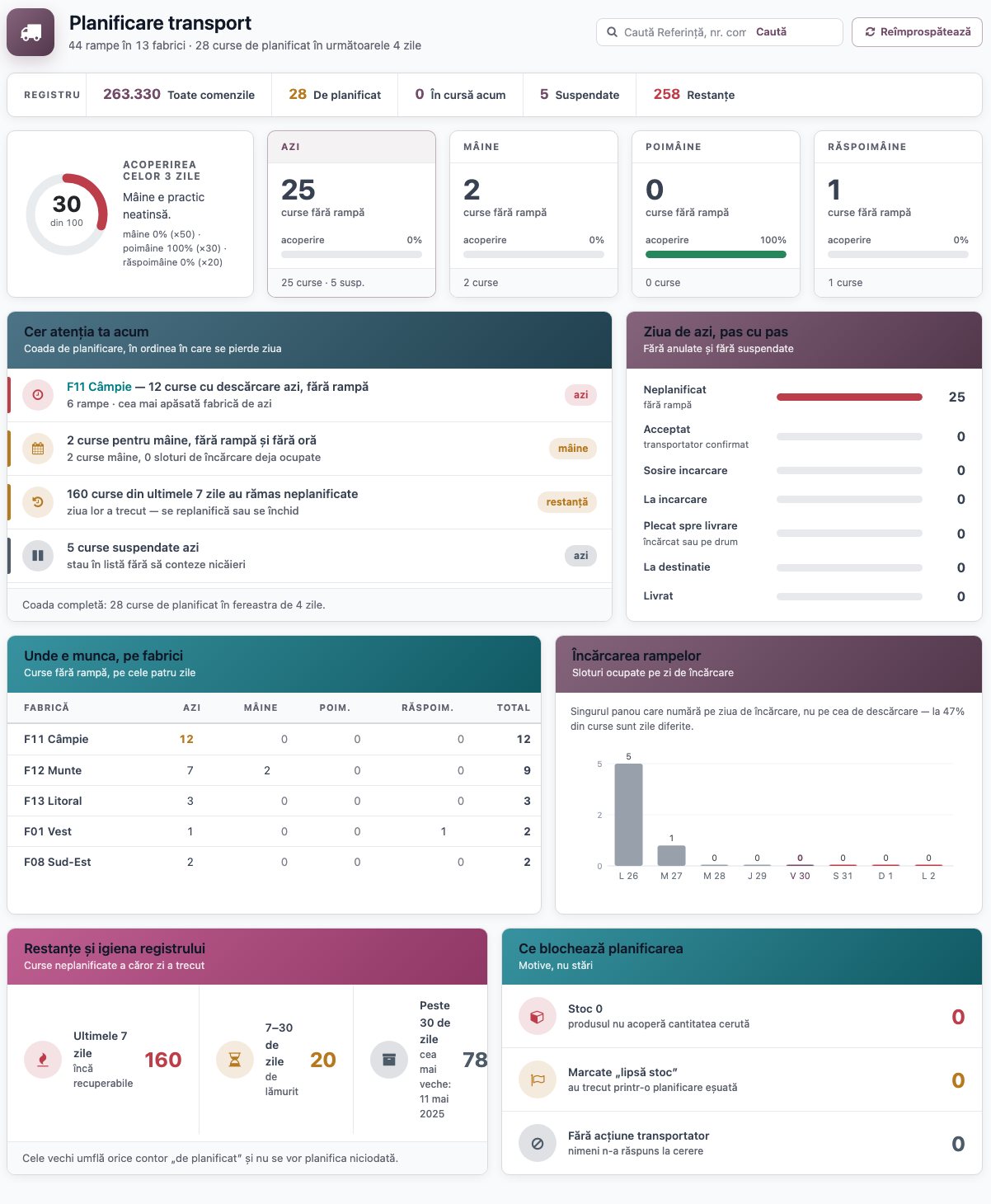
3-day coverage — a score from 0 to 100 with its verdict, plus a card per day with trips that have no dock.
“Needs your attention now” — the busiest plant, tomorrow’s gaps, backlog, suspended orders — in the order the day slips away.
The day, step by step — how many trips are unplanned, accepted, loading, on the road, delivered.
Every number opens up — one click leads to the orders behind it.
From ERP to delivery, without retyping anything
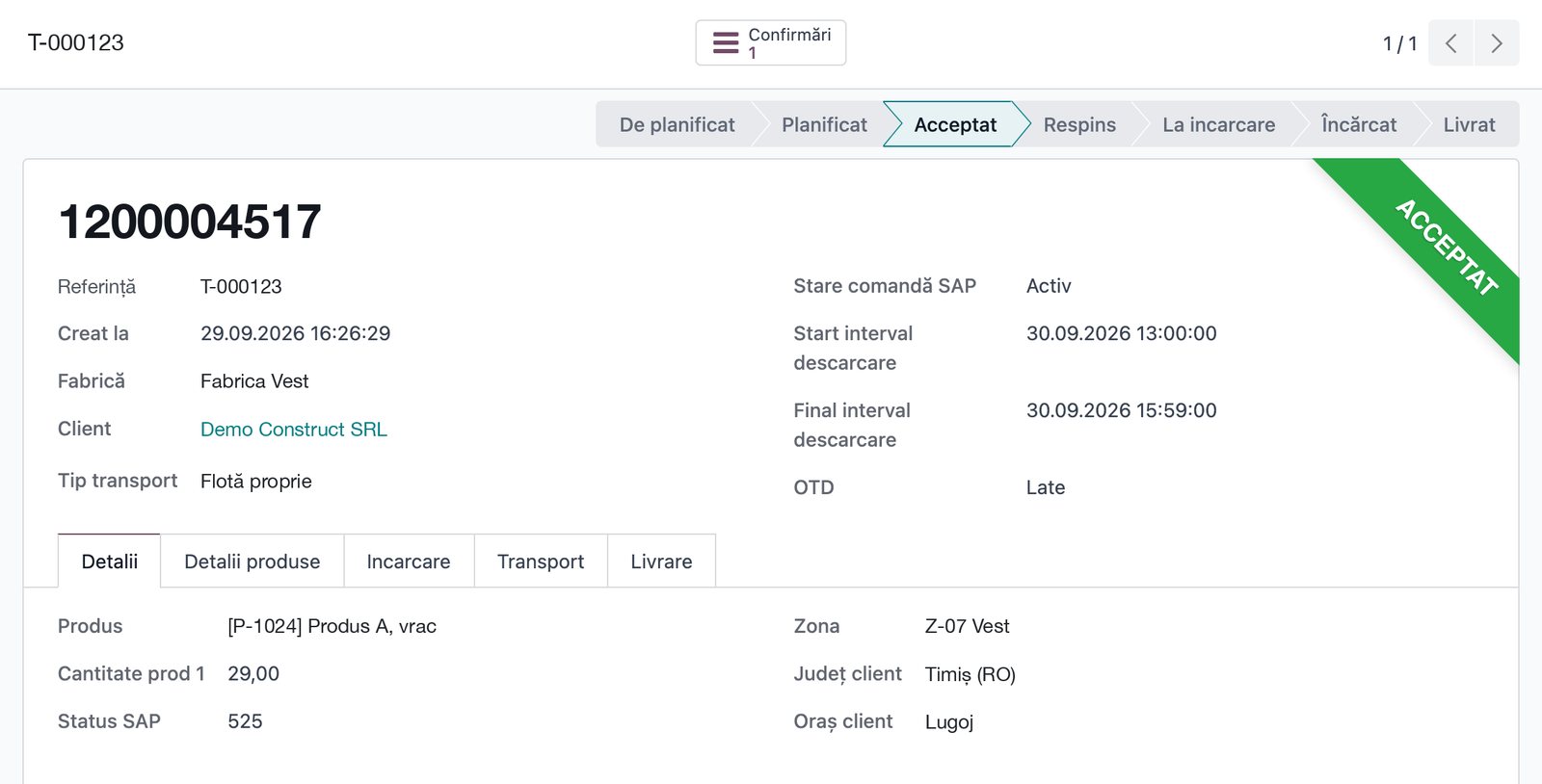
Orders arrive from the ERP — SAP, Navision — with customer, product, quantity, address and delivery window.
Status goes back to the ERP — promised time, truck, carrier.
Changes are handled automatically — a new date means re-planning; a new product or address — the carrier is notified.
15 statuses — from “to plan” to “delivered”, with suspend, lock and cancel.
The carrier accepts or rejects — picks a truck from its fleet; a rejection needs a reason and sends the order back to planning.
Documents and notifications — attachments, versions, approvals, the transport PDF; e-mail and SMS from templates.
Several requests, one truck, the route on the map
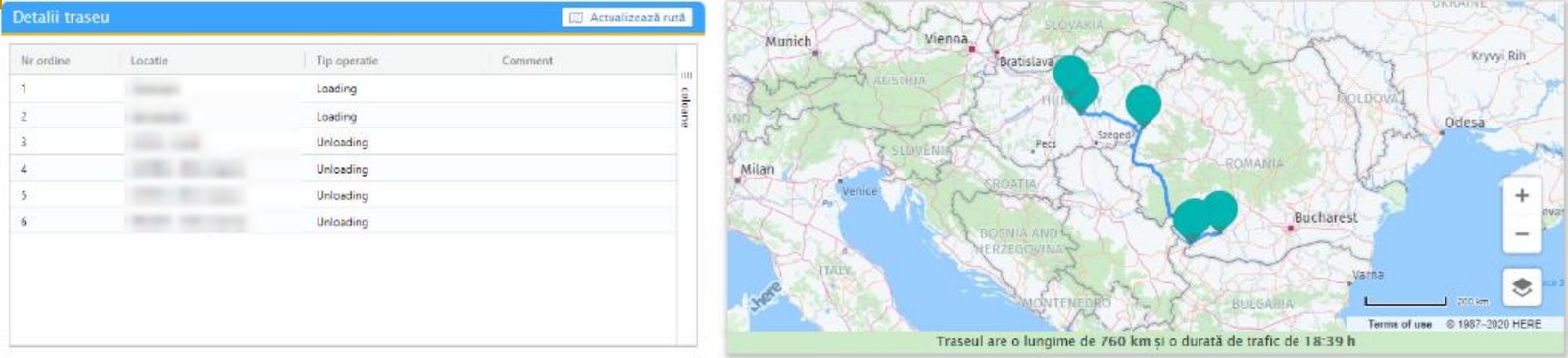
Requests are grouped — volume, weight and units add up against the chosen capacity type (FTL, MEGA, flatbed).
The route, on the map — loading and unloading points in order, with distance and driving time.
Instructions and availability — on every consolidation.
What comes next — the request for quotation, the tender or the order starts from the consolidation.
Tenders, contracts and rates — transport at market price
Tenders
- peer-to-peer or broadcast electronic auctions
- requests for quotation and offers compared on the same trip
- Trucknet freight exchange: published in one click, the winner comes back with price, truck and driver
- automatic quota allocation when you do not want a tender
Contracts and rates
- carrier contracts with rates and validity
- rates per tonne or per km, by plant, goods type and period, with exceptions
- cost of every order, planned vs actual, and re-billable costs
- carrier invoices checked against orders
Carrier portal
- bids and receives orders
- accepts or rejects them, with a reason
- confirms transport and issues the invoice
- sees and answers claims
The driver has the trip on the phone. You know where the trip is
Installed on the phone’s home screen, on Android and iPhone, it opens straight on the day’s trip.
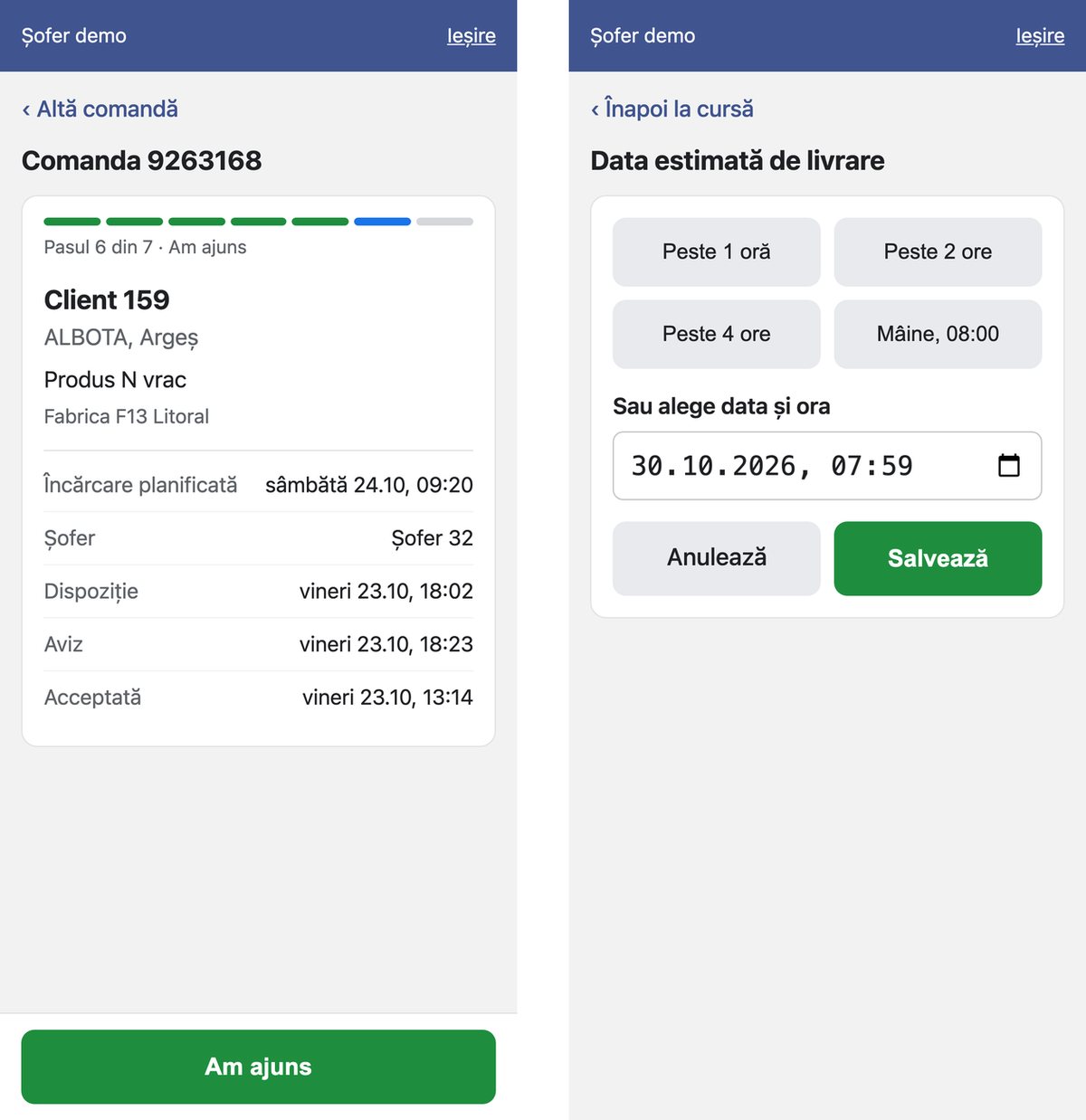
Trip steps with big buttons — arrived for loading, loading, departed, at destination, unloaded — plus refusal and return.
Delivery estimate in one tap — “+1 hour”, “+2 hours”, “tomorrow at 8” — the customer gets an e-mail and SMS at once.
Photos, CMR and checklist — at loading and at unloading.
Events on the road — type, map location, photos; odometer, refuelling, consumption.
Every tap has a time and an author — that is where on-time delivery comes from.
What was loaded, how it arrived — and who is accountable
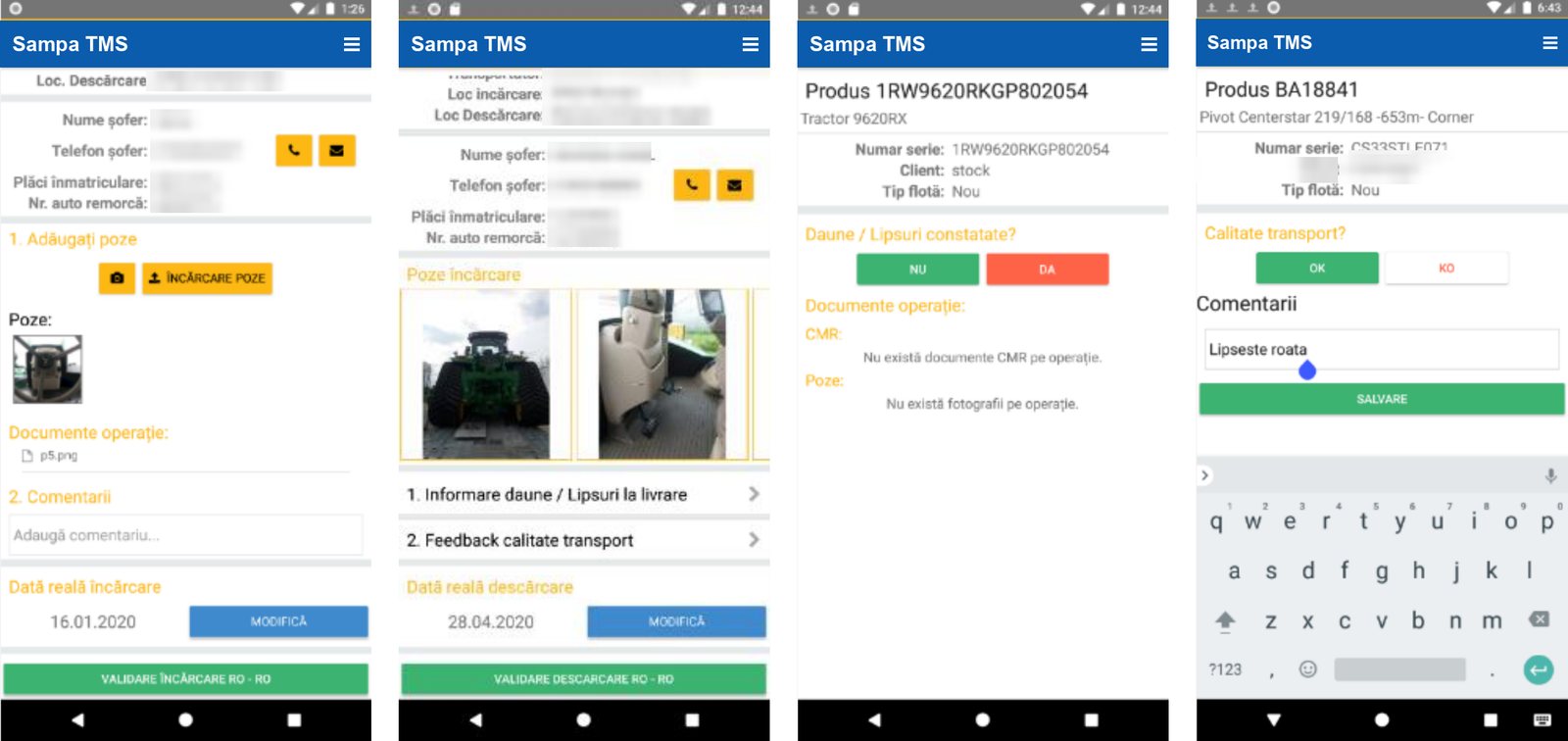
Photos at every loading and unloading — the goods, their condition, serial number, CMR — linked to the order and the equipment.
Checklists per goods type — from templates, for loading, unloading and storage; some equipment cannot be unloaded without them.
Accountability at every stage — who loaded, who carried, who unloaded; damage sits next to the loading photos.
Repair history — for every piece of equipment carried, plus feedback on the quality of the trip.
Claims with carriers — opened from the order, with the evidence attached, followed until closed.
Every truck, with its documents, kilometres and costs
Vehicles and documents
- tractor and trailer, Euro class, tachograph, GPS, technical specs
- third-party liability, comprehensive insurance, inspection, road toll, community licence, ADR, CMR insurance — scanned and tracked
- Lexi reads the scan, vehicle registration card included, and fills in the data
- a task for the owner before every expiry
Drivers
- licence, professional certificate, medical and psychological clearance, tachograph card, training
- availability: leave, rest, time off, accumulated hours
- timekeeping and per diem, calculated from trips
Trips and costs
- trips with truck, trailer and drivers, loaded and empty km
- trip sheets and expense reports, by country, currency and card
- fuel cards handed over and returned
- contracts, services, odometer, with alerts
Fixed routes, with their drivers, trucks and times — for whole weeks
Routes
- stop by stop: times, driving, standing, breaks
- distances and addresses calculated on the map, with waypoints
- loading and unloading points, handlers, gates
- outbound linked to return routes, offset and alternative routes
Departure lists
- generated from templates, on even and odd weeks, with shifts
- only available drivers, with substitutes at shift change
- validation: draft, complete, validated, closed
- drivers notified by SMS, e-mail and on their terminal
Trip sheets
- generated, with a barcode
- estimated vs actual departure and arrival
- sent to GPS for tracking
- driver bonus from km, difficulty and fuel saved
Where the truck goes and what it actually did
Maps
- geocoded addresses, routes and consolidations on the map
- distance and driving time for every route
- orders on the map, by customer
GPS
- integration with ViaTrack, Viasat, WebEye
- arrivals and departures at plant and customer, with odometer
- the truck’s position, one click from the order
Real km
- GPS km vs planned km, on every order
- on-time delivery by GPS, not by declaration
- daily odometer, with dashboard jumps corrected
How much every trip emitted, calculated automatically
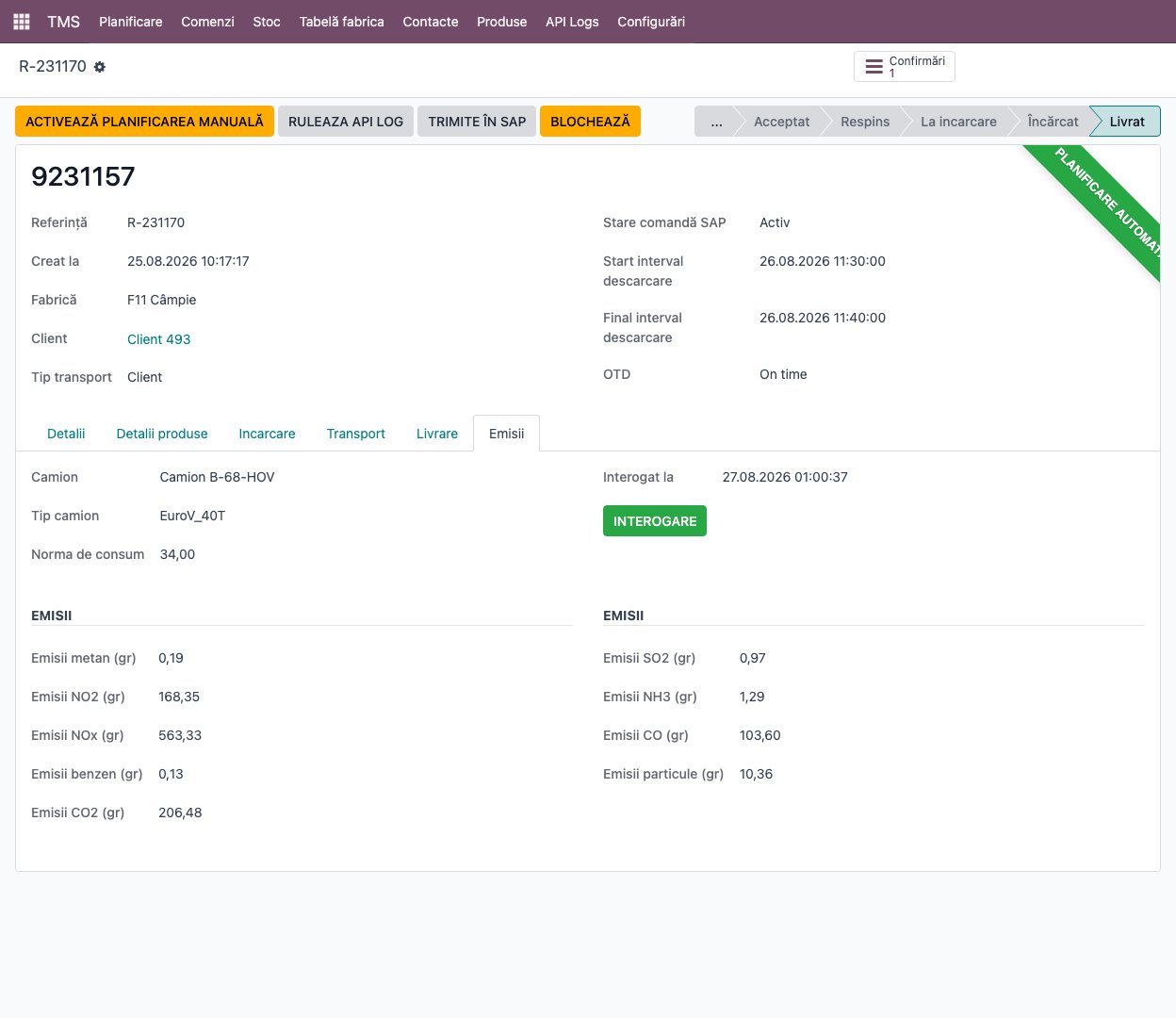
9 pollutants for every delivered trip — CO2, NOx, NO2, CH4, SO2, CO, NH3, benzene and particulates.
Based on the real truck — Euro class and tonnage (14 classes), consumption norm and trip distance.
Calculated overnight, by itself — through Trucknet, for every trip delivered the day before; or on demand, with one button.
On the order and in reports — emissions sit on every order and add up by customer, carrier or period.
Logistics KPIs, on any segment
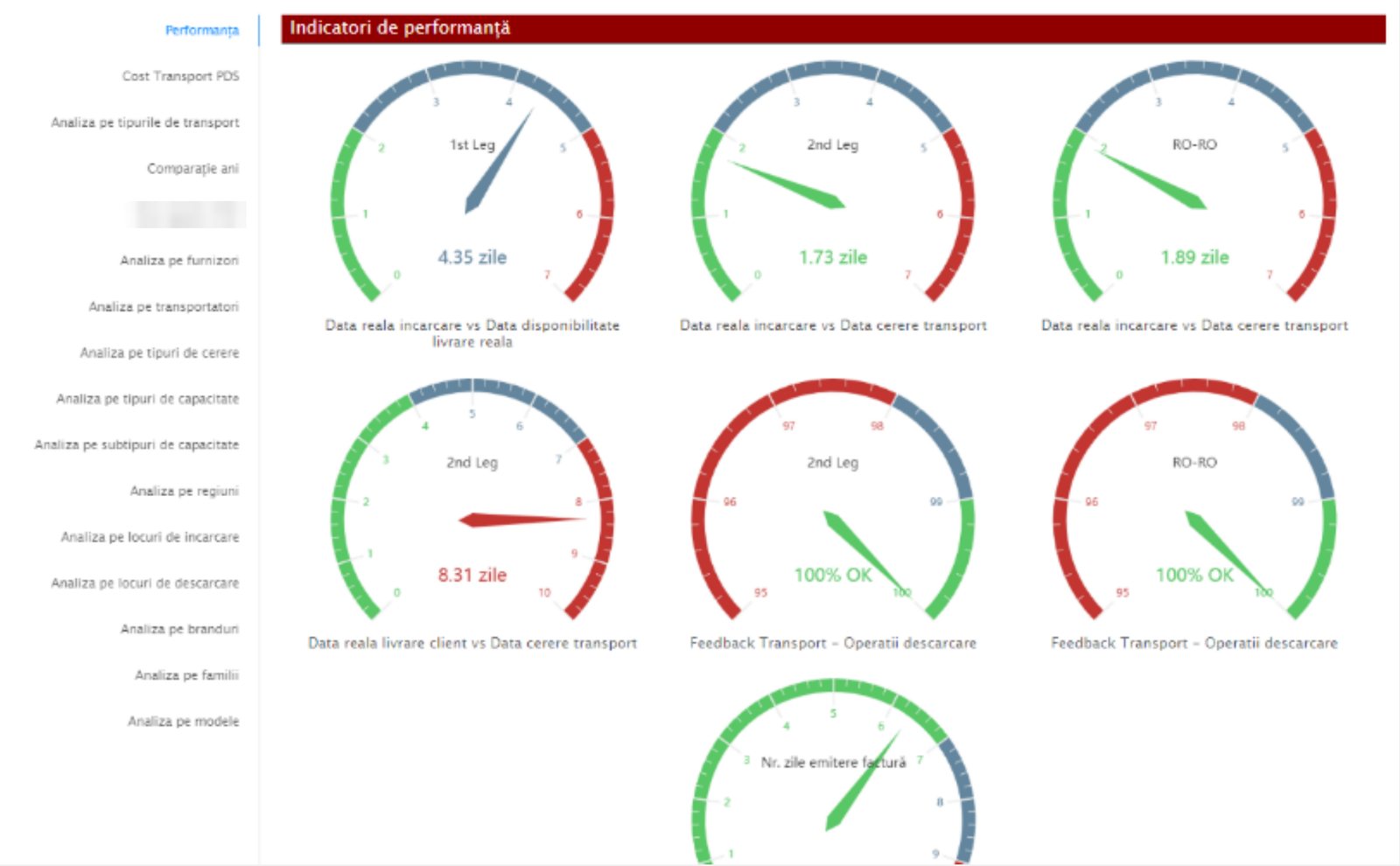
On-time delivery on three levels — on time, within one hour, late; on-time loading against the slot.
Time per stage — order to departure and to arrival, unloading time, delay reasons on two levels.
Transport cost — per order, customer, carrier, plant; profitability per truck, route and shipment.
Analysis — list, pivot, chart and map, by period, customer, carrier and route; everything exports to Excel.
Connected to the systems you already have
We already have connectors for these; for anything else — another GPS, fuel cards, another ERP — we build the connector.
From analysis to every plant
We show you Sampa TMS on your own shipments
Tell us what you carry, from where and with whom — and we show you how it looks in the system.